 is here! Shop now, pay later in 4 easy installments


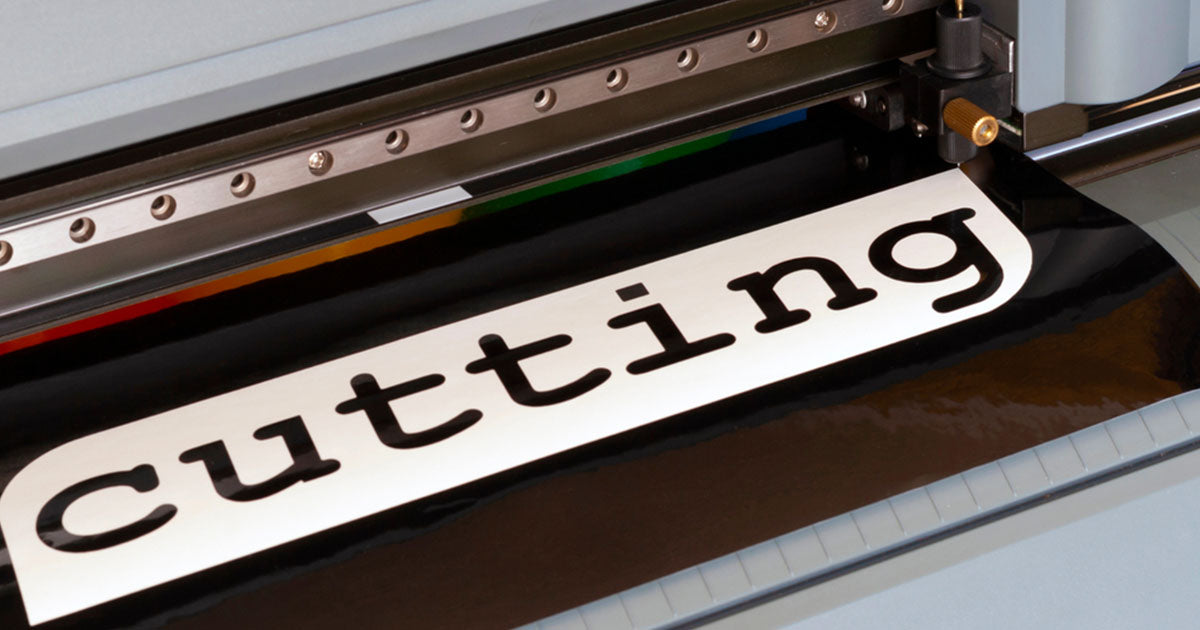
Vinyl Cutting Machines for RC Paint Masks - Save Time and Get Pro Results
Ever spent hours cutting paint masks by hand, only to end up with wonky lines and a sore wrist? We've been there. At Hearns Hobbies, we reckon there's a better way - and Tony from our team just showed us exactly how vinyl cutting machines can transform your RC body shell painting game.
The thing is, painting custom designs on RC bodies has always been a bit of a mission. You're either stuck with basic stripes and blocks, or you're spending ages with a hobby knife trying to cut intricate patterns. That's where vinyl cutting machines come in - they're basically like having a robot assistant that cuts perfect masks every single time.
Now, some folks reckon using vinyl cutters is cheating. That's absolute rubbish. It's about working smarter, not harder. These machines don't paint for you - they just help you create cleaner, more complex designs in a fraction of the time. And honestly, when you see the results you can achieve with proper model paints and a well-cut mask, you'll wonder why you didn't start using one sooner.
Tony's been using a Brother ScanNCut SDX1000 in our workshop, and the results speak for themselves. Whether you're creating flame designs, team logos, or complex geometric patterns, these machines handle it all. Plus, they're not just for RC - you can use them for all sorts of hobby projects, which makes justifying the purchase to your partner a bit easier (though Tony admits that didn't work for him!).
Table of Contents
Choosing the Right Vinyl Cutting Machine
Alright, so you're convinced that a vinyl cutter could revolutionize your painting game. But which one should you get? The market's got heaps of options, from budget-friendly entry models to professional-grade machines that cost more than a decent RTR RC car.
Tony's using the Brother ScanNCut SDX1000, which sits nicely in the middle ground. At around $300 (less if you catch a Spotlight sale), it's not exactly pocket change, but it's accessible for serious hobbyists. The killer feature here is the built-in scanner - you can literally draw your design on paper, scan it in, and the machine converts it to a cuttable file. No computer needed, no CAD software to learn.
Other popular options include the Cricut series and Silhouette Cameo. These tend to rely more on computer software for design work, which can be a pro or con depending on your tech skills. The Cricut's got a massive online community and tons of pre-made designs, while the Silhouette offers more flexibility for custom work. Both will happily cut vinyl masks for your 1:10 on-road bodies or larger scale shells.
Here's something to consider - these machines aren't just for RC. They'll cut cardboard, thin wood, cork, and all sorts of craft materials. So when you're trying to justify the purchase, remember you're getting a versatile tool that the whole family can use. Well, in theory anyway. Tony tried that angle with his missus and it didn't quite work, but she let him buy it regardless!
Machine Comparison Quick Reference
| Machine | Price Range | Best For |
|---|---|---|
| Brother ScanNCut | $250-$400 | Stand-alone operation, scanning |
| Cricut Explore | $200-$300 | Beginners, pre-made designs |
| Silhouette Cameo | $200-$350 | Custom designs, flexibility |
Essential Materials and Supplies
Getting the machine is only half the battle. You'll need the right materials to make those perfect paint masks, and trust us - quality matters here. Tony's learned this the hard way after experimenting with various cheap alternatives that just didn't cut it (pun intended).
The gold standard for RC paint masking is Oramask vinyl. This stuff's specifically designed for paint masking - it's got just the right amount of tack to stick properly without leaving residue, and it comes off cleanly even after sitting on your body shell for days. The blue colour's brilliant too, making it dead easy to see what you've removed during weeding.
You'll also need adhesive cutting mats. These are consumables - expect to replace them every 6-9 months with regular use. The mat holds your vinyl in place during cutting, and as teh adhesive wears out, you'll get less accurate cuts. Tony's mat in the demo was getting a bit past its prime, which caused some issues during filming.
Transfer tape is your other essential. This clear adhesive film lets you move your cut design from the backing paper to your RC body. Get the good stuff - cheap transfer tape either won't pick up small details or will be too sticky and tear your mask. A plastic squeegee (Tony uses one meant for car body filler) helps ensure proper adhesion without air bubbles.
![[SUGGESTED IMAGE: Essential vinyl cutting supplies laid out - Oramask vinyl, adhesive mat, transfer tape, squeegee, and hobby knife]](https://i.imgur.com/FXXiRRQ.png)
The Scanning and Design Process
Here's where the Brother ScanNCut really shines. Tony demonstrated scanning a hand-drawn design - just flames and the Hearns Racing logo drawn on paper. No computer, no software, just put it on the mat and hit scan. The machine's pretty clever about converting your drawing into cuttable paths.
One crucial tip Tony shared - if you're making masks for inside a clear shell, draw your design backwards! The mask goes on the inside of the shell, so everything needs to be mirrored. It's an easy mistake to make, and you'll only do it once before kicking yourself.
The machine gives you options for what to capture - just outlines, everything including internal lines, or specific areas. For paint masks, you almost always want everything. Tony also mentioned turning off the automatic smoothing feature. While smoothing can clean up rough sketches, for precise logo work you want the machine to follow your lines exactly as drawn.
What's brilliant is that once scanned, you can save designs to the machine's memory. Got a team logo you use regularly? Scan it once, save it, and you can cut fresh masks whenever needed. This repeatability is massive for anyone painting multiple 1:8 scale bodies for a race team or just wanting consistent results.
Pro Tip: Design Preparation
When drawing designs for scanning, use a thick black marker on white paper. The higher the contrast, the better the machine can detect your lines. Avoid pencil sketches or light colours - they might not scan properly.
Cutting Techniques and Settings
Getting your cut settings right makes the difference between a perfect mask and a frustrating mess. Tony's machine was set to cut at speed 2 with the half-cut function enabled. This means the blade only goes through the vinyl layer, not the backing paper - exactly what you want for paint masks.
The Brother (and most other cutters) somehow magically work out how deep to cut. Tony admits he doesn't know exactly how it does it, but it works! You can manually adjust cut depth if needed, but the auto settings usually nail it. For intricate designs with lots of small details, slower speeds give better results. Tony had his set pretty slow from a previous detailed job.
During the demo, the mat started moving around - a sure sign it needed replacing. Tony had to hold it gently to keep things aligned. This is why mat maintenance matters. A good mat means accurate cuts, especially important when you're working on tiny details like the centers of letters or complex Mini-Z body designs.
One thing that impressed us was the machine's ability to handle super fine details. Tony showed it cutting tiny elements barely a millimetre wide. That level of precision opens up possibilities you just can't achieve by hand - think carbon fibre weave patterns, detailed sponsor logos, or intricate tribal designs.
Weeding and Transfer Application
Weeding - that's the process of removing excess vinyl to leave just your design - is where patience pays off. Tony demonstrated pulling away the negative space around his flames and lettering, using a sharp hobby knife to help lift stubborn bits. This is definitely the fiddly part of the process.
A sharp blade is absolutely essential here. Trying to weed with a dull knife is asking for torn masks and a world of frustration. Tony recommends taking your time, especially with complex designs. The worst that can happen is you stuff it up and need to cut another one - annoying, but not the end of the world.
Transfer tape application needs a firm hand but gentle touch. Tony showed laying the tape over the weeded design, then using a squeegee to ensure complete contact. The trick is pressing hard enough that the vinyl sticks to the transfer tape better than it sticks to its backing. Too light and bits stay behind; too aggressive and you might distort thin design elements.
The final application to the RC body follows similar principles. Position carefully (you only get one shot at this), press from the center outward to avoid bubbles, and peel the transfer tape slowly. Tony's pro move? Using a hair dryer on low heat to soften the vinyl slightly, helping it conform to body curves and panel lines.
![[SUGGESTED IMAGE: Close-up of weeding process showing removal of excess vinyl with hobby knife]](https://i.imgur.com/T6iYcNK.png)
Common Issues and Troubleshooting
Even with the best equipment, things can go sideways. Tony's demo actually showed this perfectly when the mat started wandering during cutting. Rather than editing it out, he left it in - because this stuff happens in real life, and knowing how to deal with it matters.
Mat slippage usually means your adhesive mat's past its prime. You can extend mat life by storing it properly (covered, flat, away from dust) and cleaning it occasionally with baby wipes. But eventually, you'll need to bite the bullet and get a new one. Consider mats as consumables like tyres - they wear out with use.
Sometimes the machine won't recognize certain design elements. In Tony's case, the flames weren't showing up properly in black initially. The fix? Adjust the scanning settings. Most machines let you tweak contrast and detection sensitivity. Play with these until your design shows up clearly in the preview.
Blade issues crop up too. If you're getting ragged cuts or the vinyl tears during weeding, your blade might be dull or installed incorrectly. Most machines come with spare blades - don't be stingy about swapping them out. A fresh blade makes everything easier and gives cleaner results on your painted buggy bodies.
Cutting Problems
- • Incomplete cuts: Increase pressure
- • Torn vinyl: Replace blade
- • Wandering cuts: New mat needed
- • Missed details: Adjust speed
Transfer Issues
- • Vinyl won't lift: Press harder
- • Bubbles: Work from center out
- • Torn elements: Too much pressure
- • Poor adhesion: Clean the surface
Advanced Tips for Complex Designs
Once you've mastered basic cutting, it's time to push the boundaries. Multi-layer designs can create incredible depth in your paint jobs. Think about a flame design where you mask and paint the base colour, then add a second mask layer for highlights. Or sponsor logos where different elements need different colours.
The key to multi-layer work is registration - making sure each layer lines up perfectly. Some folks create registration marks in their designs, while others use body panel lines as reference points. Tony's approach involves carefully planning the paint sequence before cutting anything. Work from light to dark colours generally, and remember that each layer of paint adds thickness that might affect later masks.
For super-detailed work on smaller scales like Kyosho Mini-Z, you might need to adjust your technique. Use lower pressure settings to avoid cutting through thin body material, and consider using tweezers instead of fingers for placing tiny mask elements. A magnifying lamp helps heaps when you're dealing with 2mm tall lettering!
Here's something cool - you can combine hand-cutting with machine cutting for unique effects. Maybe use the machine for precise geometric patterns, then hand-cut organic shapes like paint splatter or weathering effects. This hybrid approach gives you teh best of both worlds and creates truly one-off designs that'll have people asking how you did it.
Cost Analysis and Return on Investment
Let's talk dollars and sense. A vinyl cutter's definitely an investment - you're looking at $200-400 for the machine, plus ongoing costs for vinyl, mats, and blades. But here's how Tony thinks about it: his time's worth something, and these machines save buckets of it.
Consider this scenario: cutting a detailed team logo by hand might take an hour or more, and you'd need to do it for each body. With a vinyl cutter, it's 5 minutes per mask once you've got the design saved. If you're painting bodies for mates, doing commissions, or maintaining a race team's fleet of off-road race kits, the time savings add up fast.
The quality improvement's worth considering too. Clean, professional-looking paint jobs can add serious value to your builds. We've seen custom-painted bodies sell for two or three times the price of basic shells. If you're selling painted bodies or doing commission work, a vinyl cutter could pay for itself pretty quickly.
There's also the sharing economy angle. Tony mentioned going halves with mates on a machine. If you've got a regular bash crew or race at the same club, splitting the cost makes it much more accessible. Set up a booking system, share the consumables costs, and everyone benefits. Just make sure you agree on maintenance and replacement parts upfront to avoid dramas later.
Cost Breakdown Example
Machine: $300 (one-time)
Vinyl roll: $30 (50+ masks)
Cutting mat: $20 (6 months use)
Transfer tape: $15 (dozens of uses)
Cost per mask: Under $2 including consumables
Frequently Asked Questions
Can I use regular vinyl instead of proper masking vinyl?
You could try, but we wouldn't recommend it. Regular vinyl often has stronger adhesive that can pull up paint or leave residue. Oramask and similar masking vinyls are specifically designed with lower tack adhesive that removes cleanly. The few dollars saved isn't worth potentially ruining a paint job you've spent hours on.
How small can these machines cut accurately?
Tony demonstrated cutting elements around 1mm wide, which is seriously impressive. Most quality vinyl cutters can handle details down to about 0.5mm theoretically, though in practice, 1-2mm is more reliable. For reference, that's small enough for 1:10 scale licence plates or tiny sponsor logos on touring car bodies.
Do I need a computer to use these machines?
Depends on the machine. The Brother ScanNCut that Tony uses can work completely standalone - just scan your hand-drawn design and cut. Cricut and Silhouette machines typically need a computer or tablet for design work, though they're adding more standalone features. If you're not tech-savvy, the Brother's probably your best bet.
What's the learning curve like for beginners?
Pretty gentle, actually. Tony mentioned that even when you're learning, you can probably create a usable mask in 15 minutes. The machines come with tutorials, and there's heaps of YouTube content for every model. Start with simple designs - stripes, basic shapes - then work up to complex logos. Most people are creating good masks within a few tries.
Final Thoughts
After watching Tony work his magic with the Brother ScanNCut, we're convinced - vinyl cutters aren't just fancy toys, they're proper tools that can transform your RC painting game. Yeah, the upfront cost stings a bit, but when you factor in the time saved and the quality improvement, it starts making serious sense.
The best part? You don't need to be a computer whiz or professional painter to get great results. Tony's approach of scanning hand-drawn designs proves that anyone with basic drawing skills can create professional-looking masks. And once you've built up a library of saved designs, you're literally minutes away from perfect masks whenever you need them.
Whether you're painting shells for your whole race team, doing custom work for mates, or just want cleaner results on your own bodies, a vinyl cutter opens up possibilities that hand-cutting simply can't match. As Tony says, it's not cheating - it's just working smarter. And in a hobby where we're always looking for that edge, working smarter sounds pretty good to us.